The 40-page AI Acceptable Use Policy is a familiar failure mode. It sits on the intranet, gets approved by legal, and changes almost nothing.
The version that gets read looks different. One page. Plain English. Skimmable in under 60 seconds. Written by compliance for the people actually using ChatGPT, Copilot, Gemini, or Claude.
That tradeoff matters.
Legal wants broad protection. You need behavior change. Those are related, but they are not the same document.
A long policy tries to anticipate every edge case. A working policy tells your team four things fast: which tools are allowed, what data cannot be pasted, how to ask for an exception, and what gets logged when they use AI at work. If those four points are vague, the policy fails.
For SaaS compliance teams, especially in fintech, healthcare, legal, and consulting, the risk is not theoretical. GDPR Article 5(1)(c) requires data minimization. GDPR Article 32 requires appropriate technical and organizational measures. If your staff paste customer data, contract terms, roadmap details, or health information into public AI tools without controls, your policy is not doing its job.
Use a shorter one.
The one-page AI usage policy template
Copy this. Edit the names, tools, and approval contacts. Keep it to one page.
AI Usage Policy
Purpose This policy explains how you may use AI tools for work, what data you must never paste into them, how to request an exception, and what activity is logged for compliance.
Who this applies to All employees, contractors, and temporary staff using company devices, browsers, or accounts.
1. Permitted AI tools
You may use only the following AI tools for work:
- ChatGPT Enterprise
- Microsoft Copilot for Microsoft 365
- Google Gemini for Workspace
- Claude Team
You must not use personal AI accounts, unapproved browser extensions, or consumer AI tools for company work unless compliance has approved them in writing.
2. Data you must never paste into AI tools
Do not paste any of the following into any AI tool unless you have written approval under the exception process below:
- Personal data: full names with contact details, passport numbers, government IDs, payment card data, patient data, claim data, payroll data
- Customer or client confidential data: contracts, statements of work, pricing terms, renewal terms, deal notes, non-public usage data
- Financial data: bank account numbers, unannounced revenue figures, margin data, acquisition details
- Security or access data: passwords, API keys, private certificates, access tokens, architecture diagrams with exposed controls
- Internal confidential data: board materials, incident reports, legal advice, product roadmap items, launch dates, source code unless the tool is specifically approved for code use
Examples of prohibited paste patterns:
// inside the template: examples of PROHIBITED paste patterns[ANY client name] — [ANY dollar amount] — [ANY contract term] ...[ANY internal codename] — [ANY upcoming launch date] — [ANY pricing discussion]If you are unsure, treat the content as prohibited until compliance confirms otherwise.
3. Permitted use
You may use approved AI tools for lower-risk tasks such as:
- drafting generic outlines
- rewriting your own non-confidential text
- summarizing public material
- brainstorming non-sensitive ideas
- formatting content that contains no personal, regulated, or confidential company data
You remain responsible for reviewing output for accuracy, bias, confidentiality, and contractual risk before using or sharing it.
4. Exception request process
If you need to use AI with data that may be restricted, do not paste it first and ask later.
Send an exception request to [compliance@company.com] with:
- business purpose
- AI tool requested
- data categories involved
- customer or regulatory impact
- retention or processing terms, if known
Compliance will respond within 2 business days. High-risk requests may require review by security, privacy, or legal.
5. Logging and monitoring
To enforce this policy, the company logs AI usage events from approved browser controls.
Logging captures:
- date and time
- user identity or device identity
- AI tool used
- risk category triggered, such as PII, financial, or confidential data
- whether a prompt was allowed, warned, redacted, or blocked
- a redacted audit record where applicable
Logging does not capture:
- raw sensitive text that was detected and redacted before submission
- passwords or secrets in plain text
- personal use outside company-managed environments, where not subject to company control
6. Non-compliance
Breaches of this policy may lead to removal of AI access, disciplinary action, or escalation under the company security and privacy policies.
7. Questions
Contact [compliance owner] or [DPO/privacy contact] before using AI with any data you are not fully comfortable disclosing externally.
That is the document most employees need.
Not a legal memo. Not a master privacy framework. A compliance-ops document.
You can still keep the longer legal policy behind it. Many teams should.
But the one-page version is the one that travels. It is the operating layer. It gives people a usable rule set before they paste something they should not.
!Prytive onboarding screen showing the AI usage policy surfaced to the user during extension setup
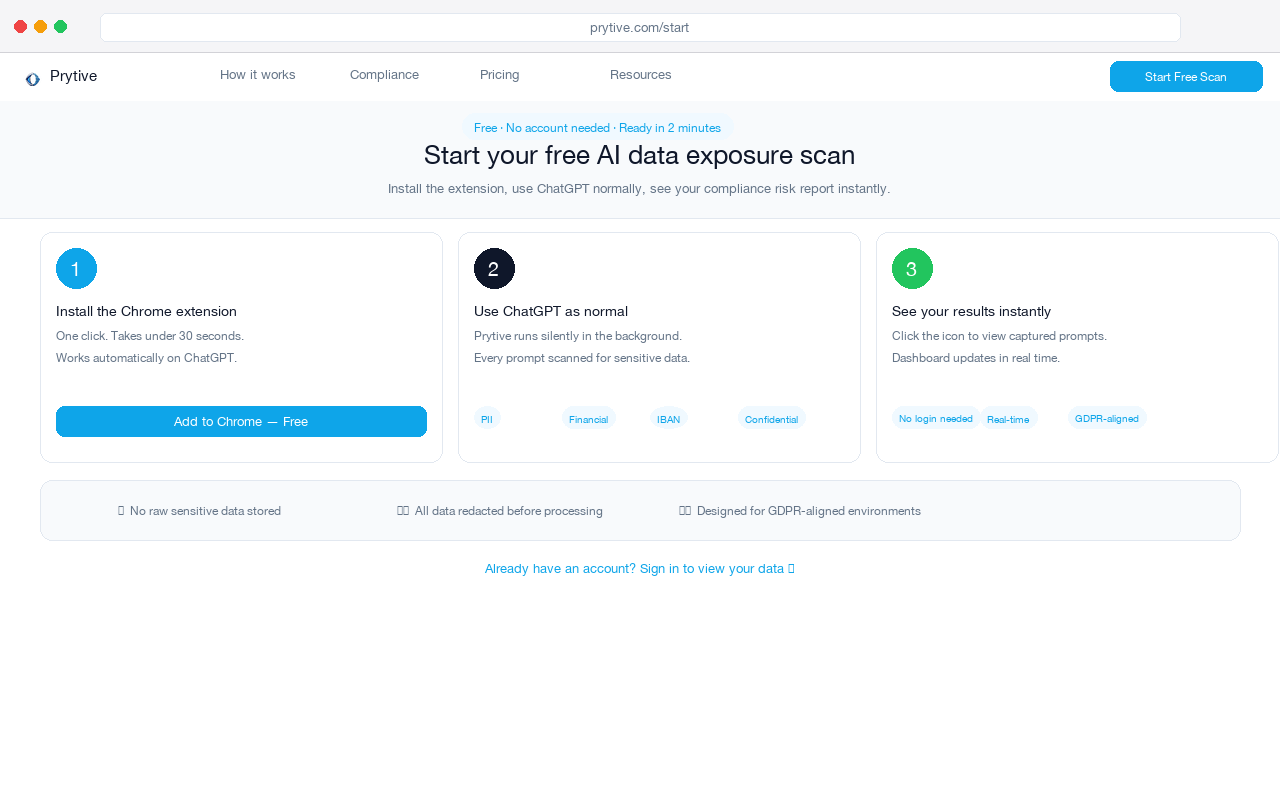
This is how the policy travels with the user: at the moment they open an AI tool, not in an intranet page they will never find again.
That timing changes compliance outcomes.
A policy alone is still weak. People forget. They move fast. They copy a customer email thread into a prompt because they are trying to get work done before lunch.
That is why pairing the policy with prompt-level logging matters. It makes the rules visible and enforceable.
If your control can detect a prohibited pattern before the prompt leaves the browser, warn the user, redact the sensitive text, and write only a redacted audit log, you get something most legacy DLP never gave you inside AI tools: evidence tied to the actual moment of use.
That helps with more than internal discipline.
It supports GDPR Article 24 accountability. It helps demonstrate controls under SOC 2 CC6 and CC7. In healthcare settings, it supports the access and disclosure discipline expected under 45 CFR §164.312 and related HIPAA Security Rule safeguards. None of that comes from a PDF by itself.
Be explicit with leadership about the tradeoff. A one-page policy is not a legal shield. It will not replace your privacy notice, procurement review, DPA process, or records of processing. It is narrower by design.
Its job is simpler. Reduce bad prompts. Create a common rule set. Give compliance something you can train, monitor, and improve.
What to keep and what to cut
Keep the allowed tools list current. Name actual products. Name the mailbox for exceptions. Name what gets logged and what does not.
Cut definitions nobody needs during a normal workday. Cut duplicated legal wording. Cut abstract principles with no action attached.
If an employee cannot read the policy in one minute and know whether they can paste a customer contract excerpt into an AI chatbot, you have written the wrong document.
The full template
The template above is the full version. Copy-paste it directly, shorten the approved tools list, and publish it where employees will actually see it.
Then put a control behind it.
Use Prytive to enforce the policy at the prompt — not just publish it.