Your CISO sleeps better since the company switched to Microsoft 365 Copilot. The contract has a DPA. The data stays in tenant. Microsoft is enterprise-grade. Procurement has blessed it. Someone probably added a slide with a blue logo and the word “governance,” which is how large companies signal that reality has been handled.
None of that prevents a Copilot user from over-sharing internal documents they should not have access to in the first place.
Microsoft has been publishing Copilot readiness and remediation guidance since 2024 on exactly this problem: SharePoint permissions, OneDrive sharing scopes, Teams private channels, and the wider mess of legacy over-sharing that generative search makes painfully visible.
That is the sacred cow worth puncturing. “We only allow Copilot” is a procurement answer, not a security answer.
What Copilot actually makes safer, and what it does not
Copilot does solve real problems that make security and compliance teams twitch around public AI tools. You get enterprise contracting. You get Microsoft’s Data Protection Addendum under the Microsoft Customer Agreement. You get clearer processor commitments. You get fewer arguments about where the data went.
Useful. Not sufficient.
The Microsoft Customer Agreement DPA sets out Microsoft’s processor obligations. It does not relieve you, as controller, of your own GDPR duties under Article 28 or Article 32. If your staff can access material they never should have had access to, wrapping that access in a nicer contract does not make the exposure disappear.
The mechanism is simple:
Copilot answer = LLM(user permissions ∪ user prompts)
If permissions are too broad, the LLM becomes a force-multiplier for over-share. Old access mistakes become fast, conversational retrieval.
That is why Microsoft spent 2024 and 2025 telling customers to clean up SharePoint, OneDrive, and Teams before broad rollouts. Copilot is not inventing the problem. It is surfacing it faster.
The real risk is not rogue AI. It is your ACL archaeology
Most estates already contain years of permission drift. “Everyone except external users.” Old project sites. HR folders with inherited access that nobody revisited. Teams files copied into the wrong channel. Private channels that were not as private as people assumed in practice because the connected SharePoint site carried odd sharing artefacts.
Then a user types this:
Summarise everything our company has said about the upcoming layoffs — pull from email and Teams.If permissions allow it, Copilot will comply.
Or this:
Show me all internal HR documents about Sarah Patel from the last 6 months.Copilot respects ACLs. ACLs, sadly, have a long history of respecting nobody’s intentions.
Or this:
Draft a board update on Project Aurora — use anything internal you can find.Project Aurora was supposed to be need-to-know. “Supposed to” is not an access control model.
This is why the lazy comparison — Microsoft Copilot compliance safer than ChatGPT — misses the point. Safer for which failure mode? Safer for processor terms and tenant-bound data flows, yes. Not automatically safer for internal over-exposure. In some companies, it is more efficient at exploiting bad permissions because it sits closer to the crown jewels.
Why the “safer than ChatGPT” frame fails in practice
The framing collapses under basic controls.
First, prompt-content classification at submission. You still need to inspect what a user is typing before it leaves the browser or reaches the model. A procurement-approved destination does not mean the prompt is harmless.
Second, account-tier audit. Was the user actually in Microsoft 365 Copilot, or did they paste the same material into ChatGPT.com from the same browser ten minutes later? Many teams cannot answer that cleanly.
Third, cross-tool visibility. Your approved AI stack on paper rarely matches user behaviour in tabs.
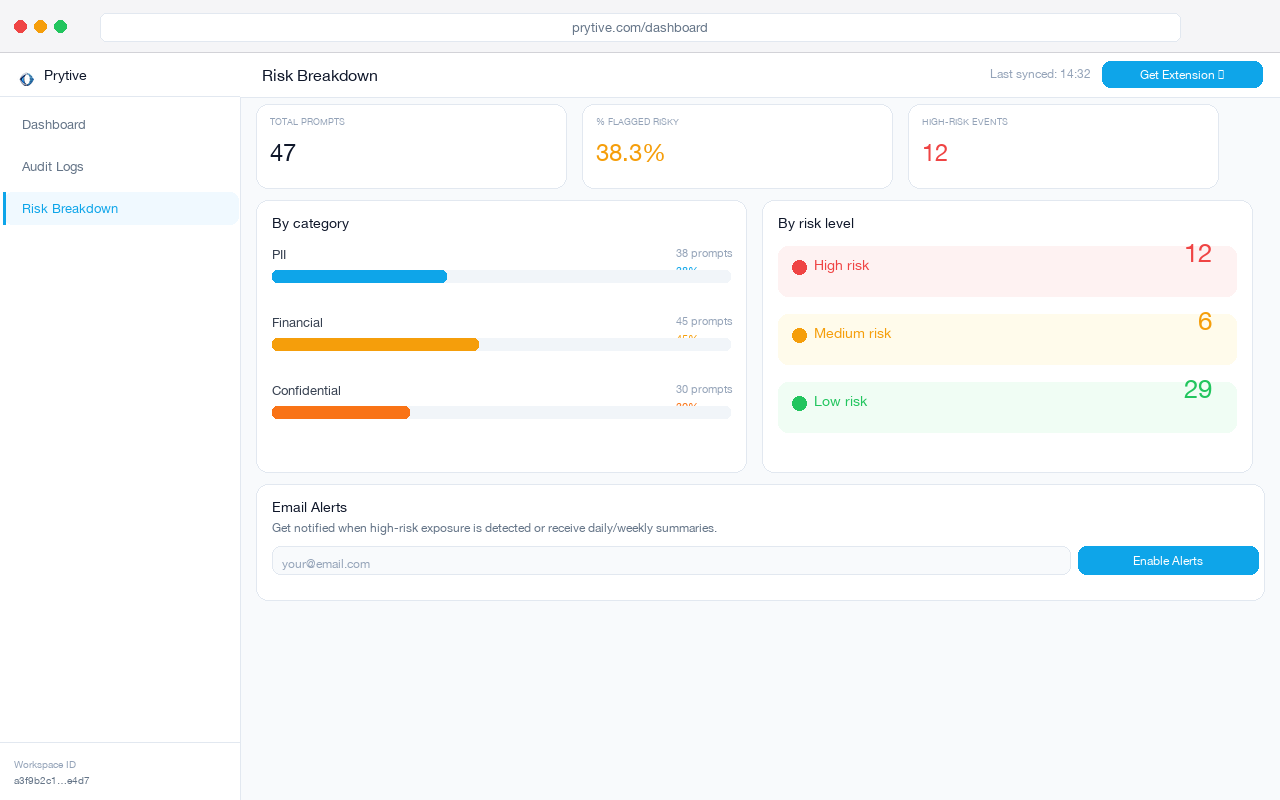
That last point matters most.
A lot of “Copilot-only” estates are really “Copilot officially, plus ChatGPT, Gemini, and Claude whenever someone is under deadline.” If your controls only exist inside one approved tool, you are measuring policy theatre.
If you want a deeper version of that argument, CASB won't save you from prompt leakage lays out why network-era controls miss browser-layer AI use.
The compliance part people skip
There is also a compliance trap hiding inside the comfort blanket.
EU AI Act Article 50 imposes transparency obligations for certain AI interactions. If your deployment means affected persons are interacting with an AI system, you may need to disclose that fact. “But it is Microsoft” is not a legal theory. It is branding.
Under GDPR, your controller duties remain yours. Article 28 requires the right processor terms. Fine. Article 32 requires appropriate technical and organisational measures. Also fine, until someone treats “approved vendor” as a substitute for data minimisation, access review, logging, and prompt controls.
This is the bit boards dislike because it is boring. No one wants to fund a six-week permissions cleanup when the demo already works. Yet that cleanup is often the difference between a contained rollout and a discovery exercise where employees learn more about the company from Copilot in an afternoon than they did in three years of meetings.
If an AI-related incident does happen, the reporting clock will not slow down because your vendor is familiar. The 72-hour AI incident response playbook is a useful gut-check for what you would need on day one.
Questions to ask your CISO at the next Copilot review
Ask these. Then wait for specifics.
1. What did we do about over-sharing before rollout?
Not “we trust Microsoft.” Ask which SharePoint sites were remediated, how OneDrive external and broad internal sharing was reduced, and whether Teams private-channel and site-permission inheritance were reviewed.
2. What blocks or warns on risky prompt content at submission time?
If an employee pastes payroll data, deal terms, or special category data into a prompt, what happens before the request is sent? Tool approval is not a content-control.
3. Can we see AI activity across tools in one audit trail?
You need one view across Copilot, ChatGPT, Gemini, and Claude. Otherwise you are not auditing AI use. You are auditing whichever vendor won procurement.
Approved does not mean safe. It means approved.
Copilot can be the right choice. For many teams, it is. But if your security position is just “we use Microsoft Copilot, so we are fine,” you have confused vendor selection with risk control. The former buys comfort. The latter takes work.
See cross-tool prompt activity in one log — Copilot, ChatGPT, Gemini, Claude — before assuming “approved” equals “safe.”